NETWORK TOOLKIT · WINDOWS
Arrive On Site.
Plug In. Know Everything.
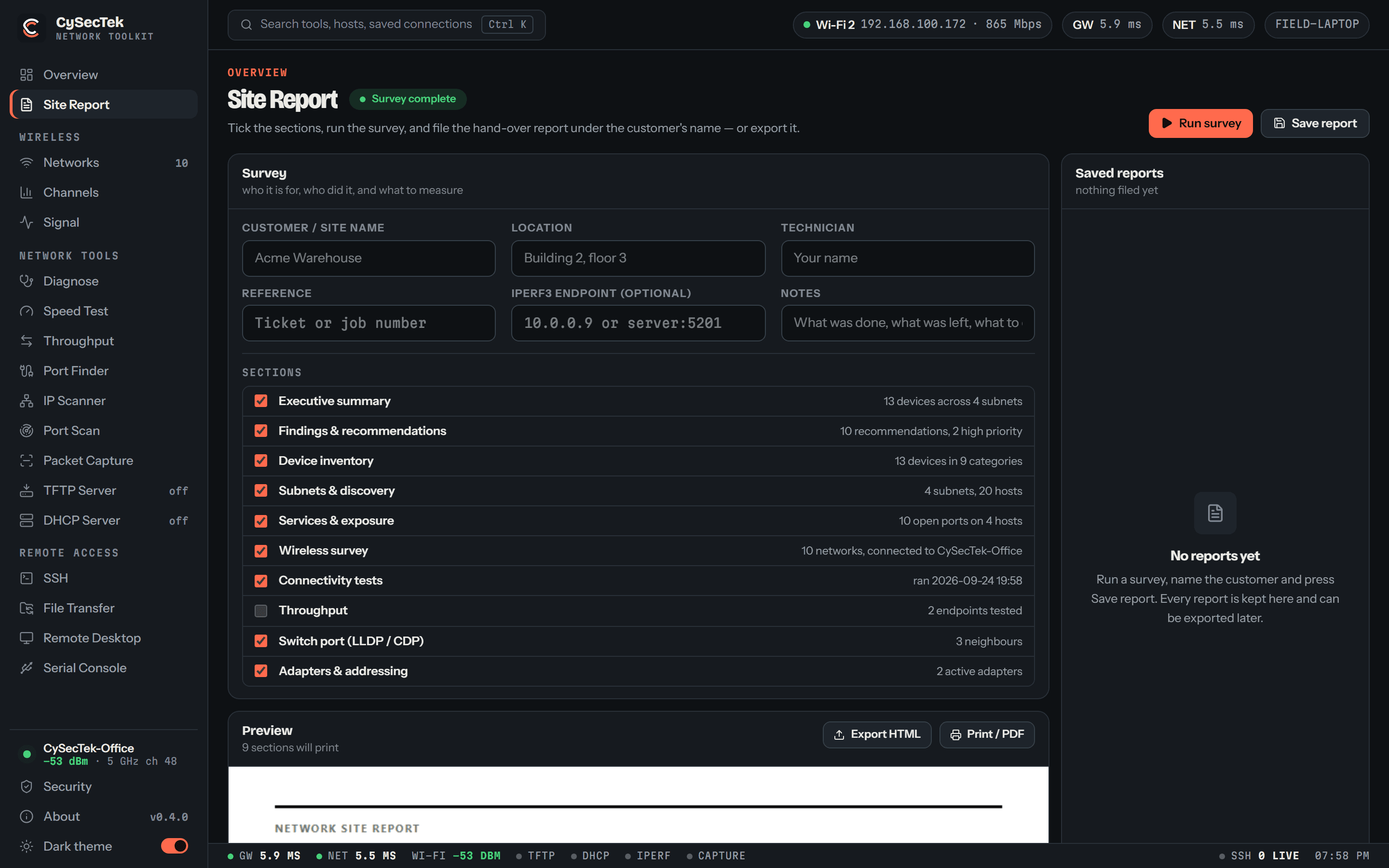
Identify switch ports, scan subnets, stage hardware with built-in TFTP & DHCP servers, and SSH into switches — from one 6 MB Windows app. No Nmap, no PuTTY, no toolbox of installers.
Version 0.5.3 · 6.2 MB · 64-bit · free
THE KIT
Everything, one window
Six toolsets that would otherwise be six downloads, sharing one interface and one set of saved connections.
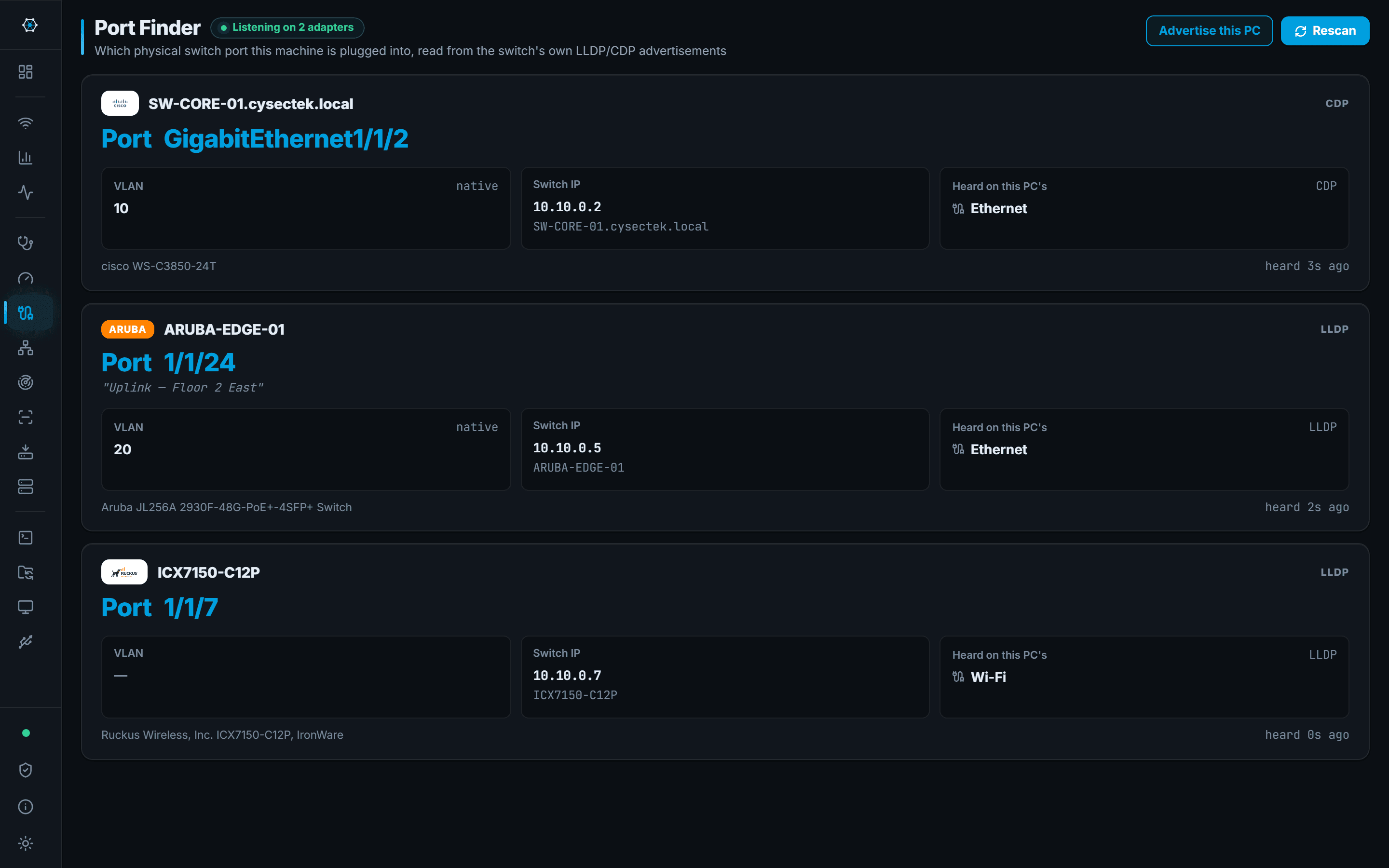
PORT FINDER
Which switch, which port
Listens for LLDP and CDP and names the switch, interface and VLAN. It can advertise back, so the switch sees this machine too.
WIRELESS
Survey without a second laptop
Every BSSID with signal, band, channel width, security and vendor, plus channel spectrum and per-AP signal history.
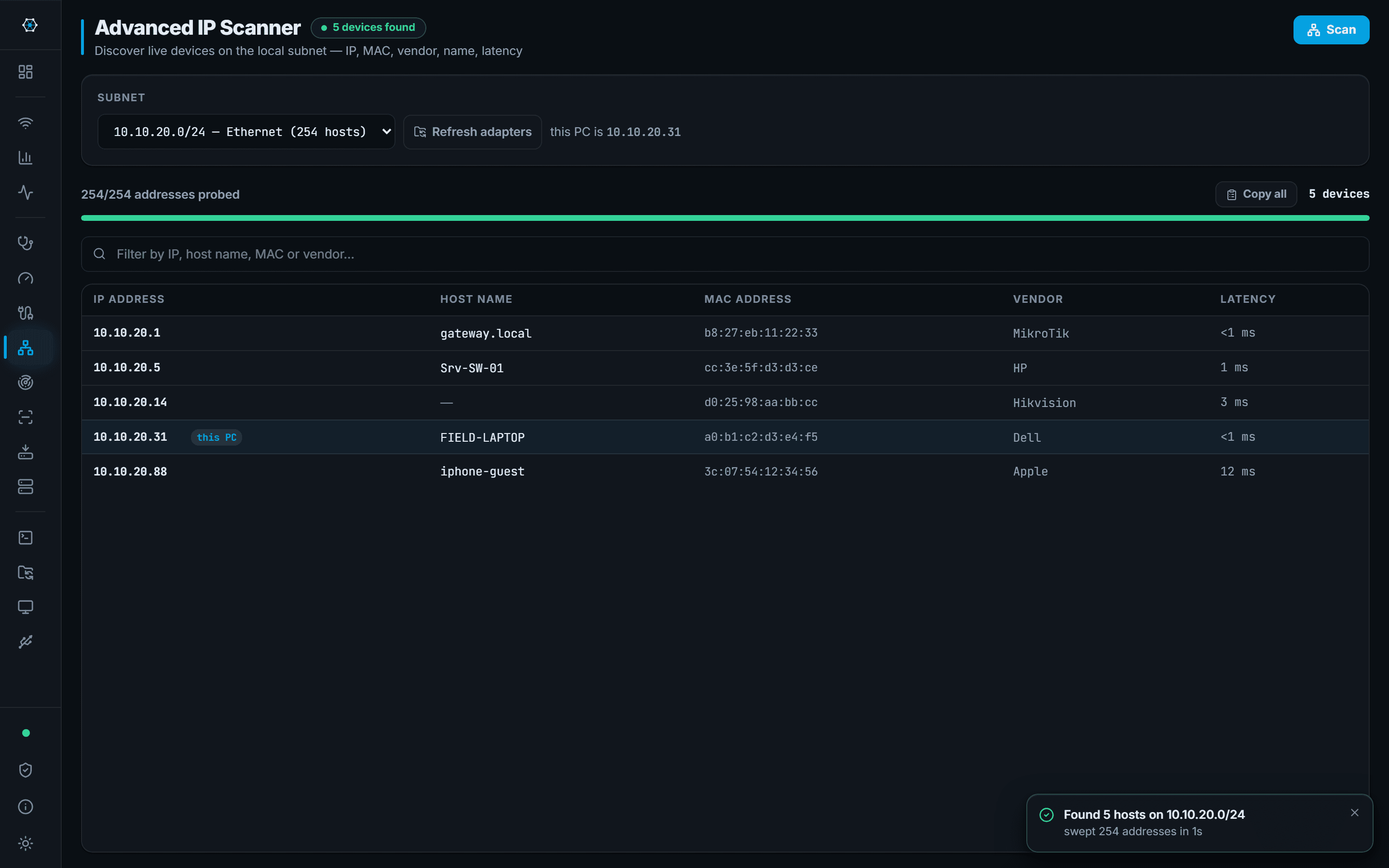
DISCOVERY
Sweep the subnet, knock the ports
Subnet scan with MAC vendor lookup and hostnames, a TCP/UDP port scanner with banner grab, and custom ranges for other VLANs.
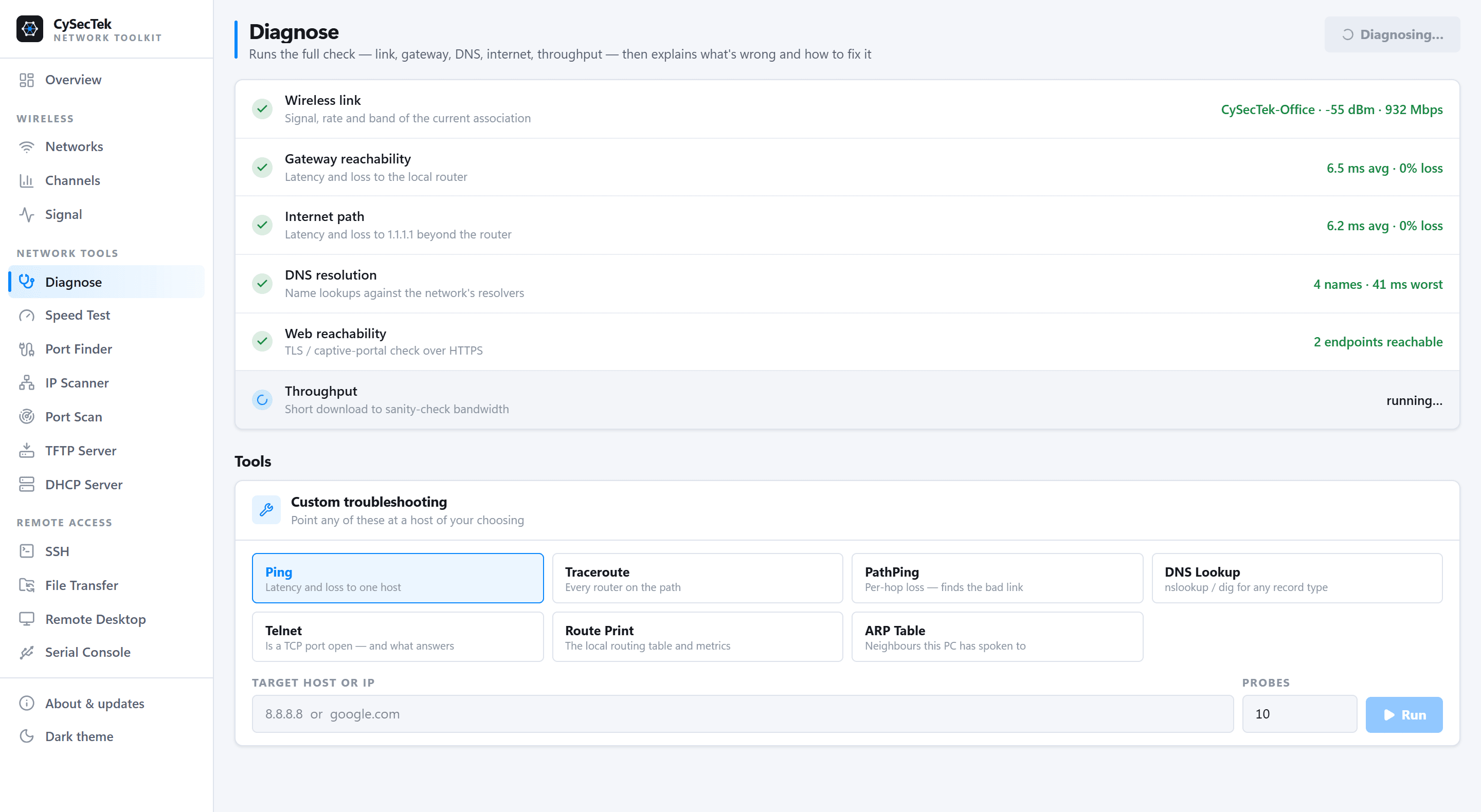
DIAGNOSE
Refused, or filtered?
Ping, traceroute, pathping with per-hop loss, DNS for any record type, route print, and a telnet check that tells a closed port from a firewall swallowing it.
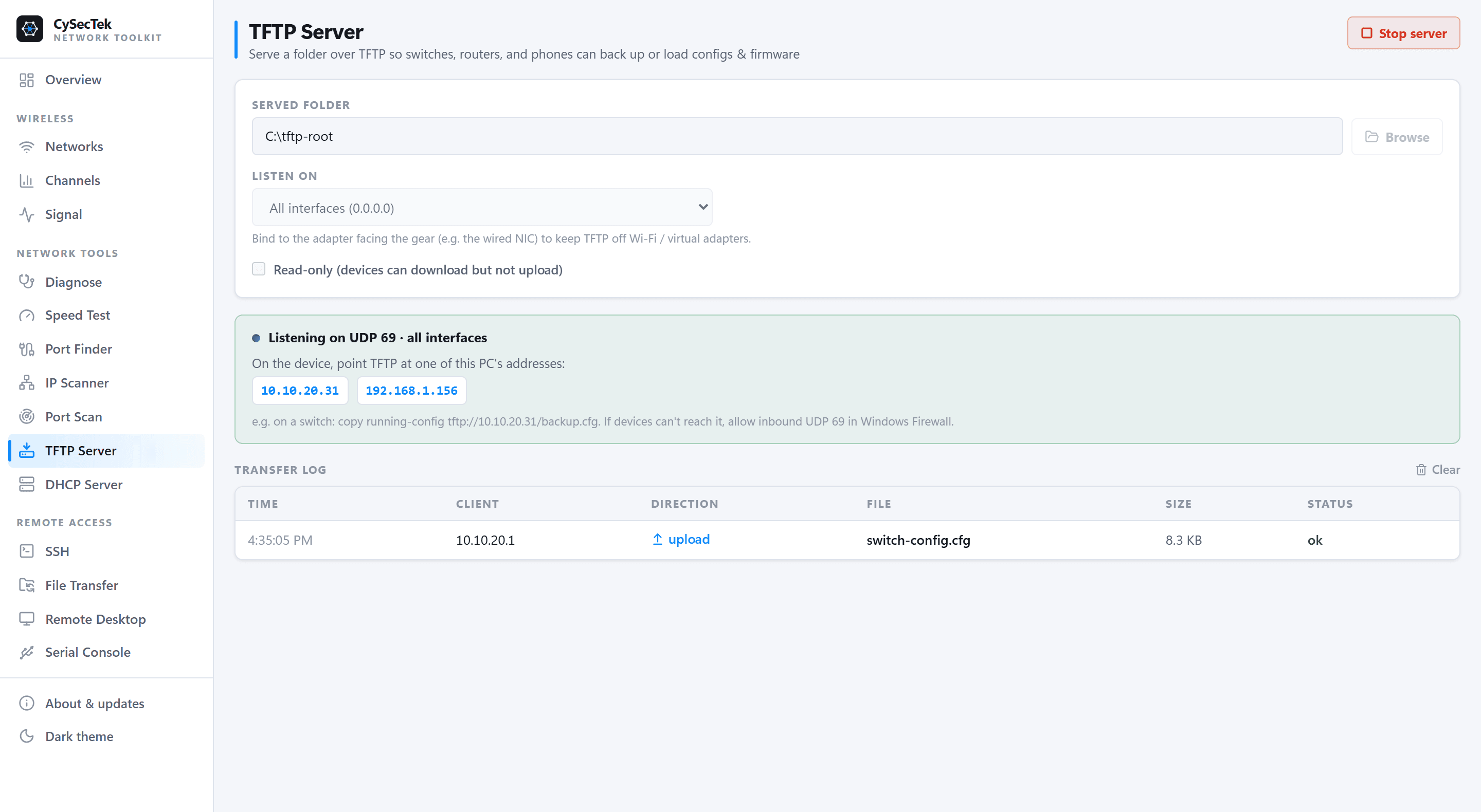
SERVERS
Stage gear on an isolated link
TFTP for configs and firmware, and DHCP for factory-reset switches, APs and phones. It refuses to start if another DHCP server is answering.
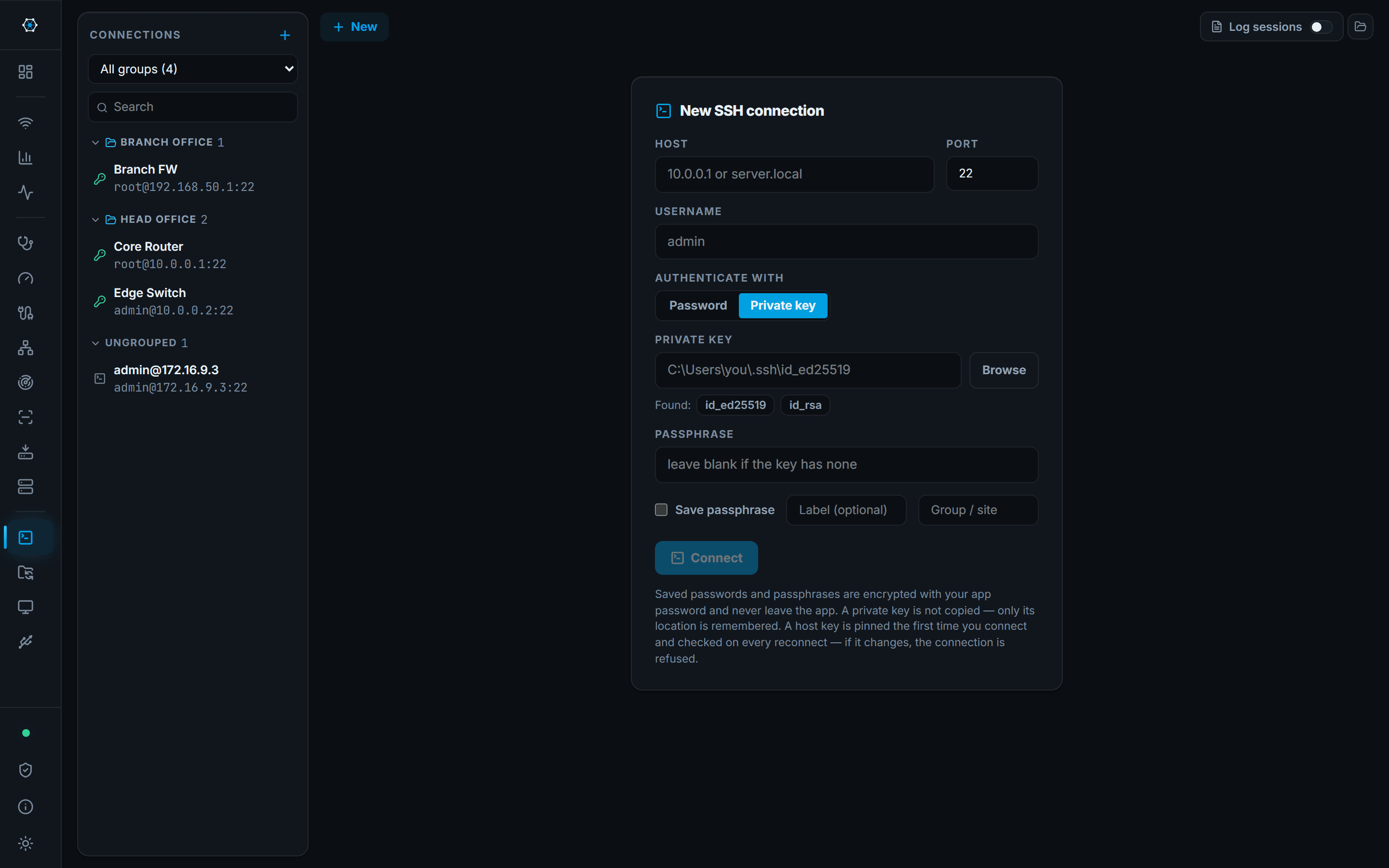
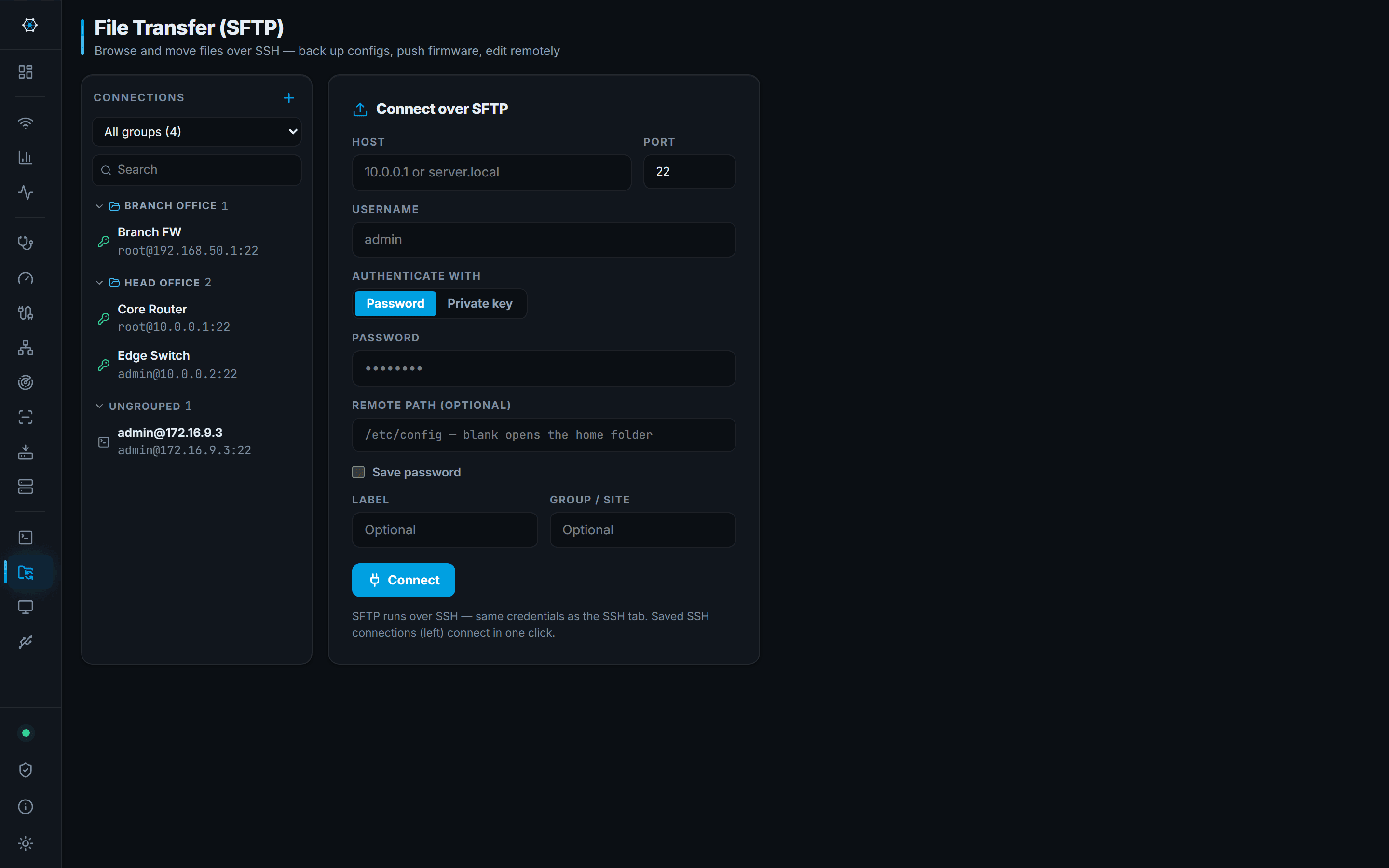
REMOTE
Get in and fix it
Tabbed SSH, SFTP with an editor for correcting a config in place, RDP, and a serial console with COM port detection. Credentials stored with Windows DPAPI.
CHANNELS
See who's stepping on whom
Spectrum occupancy per band, where trapezoid width is each AP's channel width and height is its signal. Click an AP to see exactly which neighbours overlap it, scored co-channel versus adjacent — because adjacent APs corrupt frames rather than politely sharing airtime.

DIAGNOSE
The full check, then the answer
Link, gateway, internet path, DNS, web reachability and throughput in one run — then it explains what's wrong. Underneath sit ping, traceroute, pathping, DNS lookup, telnet and route print, pointed at any host you like.

TFTP & DHCP
Bring the server with you
Point a switch at your laptop and let it write its config back. Bind TFTP to the NIC facing the gear so it stays off Wi-Fi and virtual adapters. The DHCP server does the same job for factory-reset kit — and refuses to start if another one is already answering.

ONE DOWNLOAD
No Nmap. No PuTTY.
No toolbox.
The scanners, the terminals and the servers are all native and all in the same 6 MB app — nothing to chain-install before you can work.
One exception, stated plainly: Port Finder reads raw LLDP and CDP frames, and Windows only exposes those through a packet driver — so that one tool needs the free Npcap installed. Wi-Fi survey, IP and port scanning, TFTP, DHCP, SSH, SFTP, RDP and the serial console all run on nothing but Windows.
INSTEAD OF
What it replaces
Most callouts end up needing four or five separate downloads. CySecTek covers the common ground in one app — but it doesn't replace everything, and the gaps are listed honestly below.
| If you normally use | For | CySecTek gives you | What it doesn't do |
|---|---|---|---|
| PuTTY | SSH and serial console | SSH terminal and a serial console for COM/USB-serial adapters, with saved sessions encrypted by Windows DPAPI | No SSH tunnelling or port forwarding |
| Nmap | Port scanning | Native TCP and UDP scanning with banner grabbing — ordinary Windows sockets, so no driver and nothing else to install | No OS fingerprinting, no scripting engine, no service-version database |
| Advanced IP Scanner, Angry IP Scanner | Finding what's on the subnet | Subnet sweep with MAC vendor lookup, hostname and latency — right-click a host to open SSH, SFTP, RDP, ping, traceroute or a port scan | — |
| WinSCP, FileZilla | Moving files to a device | SFTP browser with a built-in text editor for config files, and multi-file upload and download | SFTP only — no FTP or FTPS |
| Tftpd64 | Staging firmware on an isolated link | TFTP and DHCP servers you can start on the spot | — |
| inSSIDer, NetSpot | Wi-Fi survey | Nearby networks, channel occupancy and signal history from the Windows WLAN API | No heatmaps or floor-plan surveys |
| Wireshark | Packet analysis | Nothing — CySecTek reads LLDP/CDP discovery frames, but does no packet capture | Keep Wireshark for anything packet-level |
| Npcap | Raw frame capture | Not an alternative — a requirement. Port Finder needs Npcap to read LLDP/CDP frames. Everything else works without it. | — |
Product names above are trademarks of their respective owners and are referenced only to describe comparable functionality. CySecTek is not affiliated with, endorsed by, or a derivative of any of them.
GET IT
Download
Current release 0.5.3, published 2026-07-28.
SHA-256 · installer 25116409a0e7a1f6064bf864001f46aeae599bedb4f6ea3cfd9e2de1c813d493
Your browser will warn you, and so will Windows. That's expected. CySecTek isn't code-signed yet, so neither one recognises the publisher. Both are reputation prompts — they mean "we haven't seen this file before", not "we scanned this file and found something".
Chrome — “This file isn't commonly downloaded and it may be dangerous.” Open the ⋮ menu next to the download and choose Keep. Edge words it as Keep → Show more → Keep anyway.
Windows SmartScreen — on first run, choose More info → Run anyway.
Don't take our word for it — check the file. Run this in PowerShell from your Downloads folder and compare the result with the SHA-256 above:
Get-FileHash .\CySecTek_0.5.3_x64-setup.exe -Algorithm SHA256
Deploying the MSI through Intune or Group Policy skips both prompts. We're working on code signing, which removes them for good.
ANSWERS
Common questions
What is CySecTek?
CySecTek is a free network toolkit for Windows, published at cysectek.com. It is a downloadable desktop application for network and field engineers: it identifies which physical switch port a cable is plugged into using LLDP and CDP, surveys Wi-Fi, scans subnets and ports, runs on-site TFTP and DHCP servers, and provides SSH, SFTP, RDP and serial console access in one program. CySecTek is a software product, not a training provider, a cybersecurity centre or a media company. It is unrelated to similarly named organisations such as CySecK, the Centre of Excellence in Cybersecurity in Karnataka, India.
How do I find which switch port a network cable is plugged into?
Managed switches advertise themselves every 30–60 seconds over LLDP or CDP. CySecTek's Port Finder listens for those frames and reports the switch name, the physical port ID, the native VLAN and the switch management IP for the port you are currently plugged into. It needs the free Npcap driver to read raw frames, and the switch must have LLDP or CDP enabled.
Can I scan ports on Windows without installing Nmap?
Yes. CySecTek includes a native TCP and UDP port scanner that uses ordinary Windows sockets, so it needs no Nmap installation, no WinPcap and no driver. It reports open ports with optional banner grabbing. It does not do OS fingerprinting or scripted scanning, so Nmap remains the better tool for security assessment work.
Is CySecTek an alternative to PuTTY?
For SSH terminals and serial console access, yes. CySecTek provides both, with saved sessions whose credentials are encrypted using the Windows DPAPI, plus SFTP file transfer and an RDP launcher in the same application. It does not currently support SSH tunnelling or port forwarding, so PuTTY is still the better choice if you rely on those.
Do I need Npcap to use CySecTek?
Only for Port Finder. Reading raw LLDP and CDP frames requires a packet driver, and Npcap is the free driver Windows uses for that. Every other tool in CySecTek — Wi-Fi survey, IP scanning, port scanning, TFTP, DHCP, SSH, SFTP, RDP and serial console — works without it.
Is CySecTek a replacement for Wireshark?
No. CySecTek does not capture or analyse packet traces. It reads LLDP and CDP discovery frames for switch-port identification, but it has no protocol decoding, capture filters or trace analysis. Wireshark remains the tool for packet-level work.
Why does Windows warn that CySecTek is not commonly downloaded?
The installer is not yet code-signed, so Windows SmartScreen and Chrome do not recognise the publisher. These are reputation prompts, not virus detections — they mean the file has not been seen often, not that anything was found in it. The SHA-256 checksum of every release is published on the download page so you can verify a download is genuine.
Is CySecTek free?
Yes. CySecTek is free to download and use on Windows 10 and 11, 64-bit. It ships as a standard installer and as an MSI package for deployment through Intune or Group Policy.
FIT