Diagnose
Gateway, DNS and internet checked in one pass, with the numbers kept.
Something is wrong and you need to know which hop to blame before you start pulling cables.
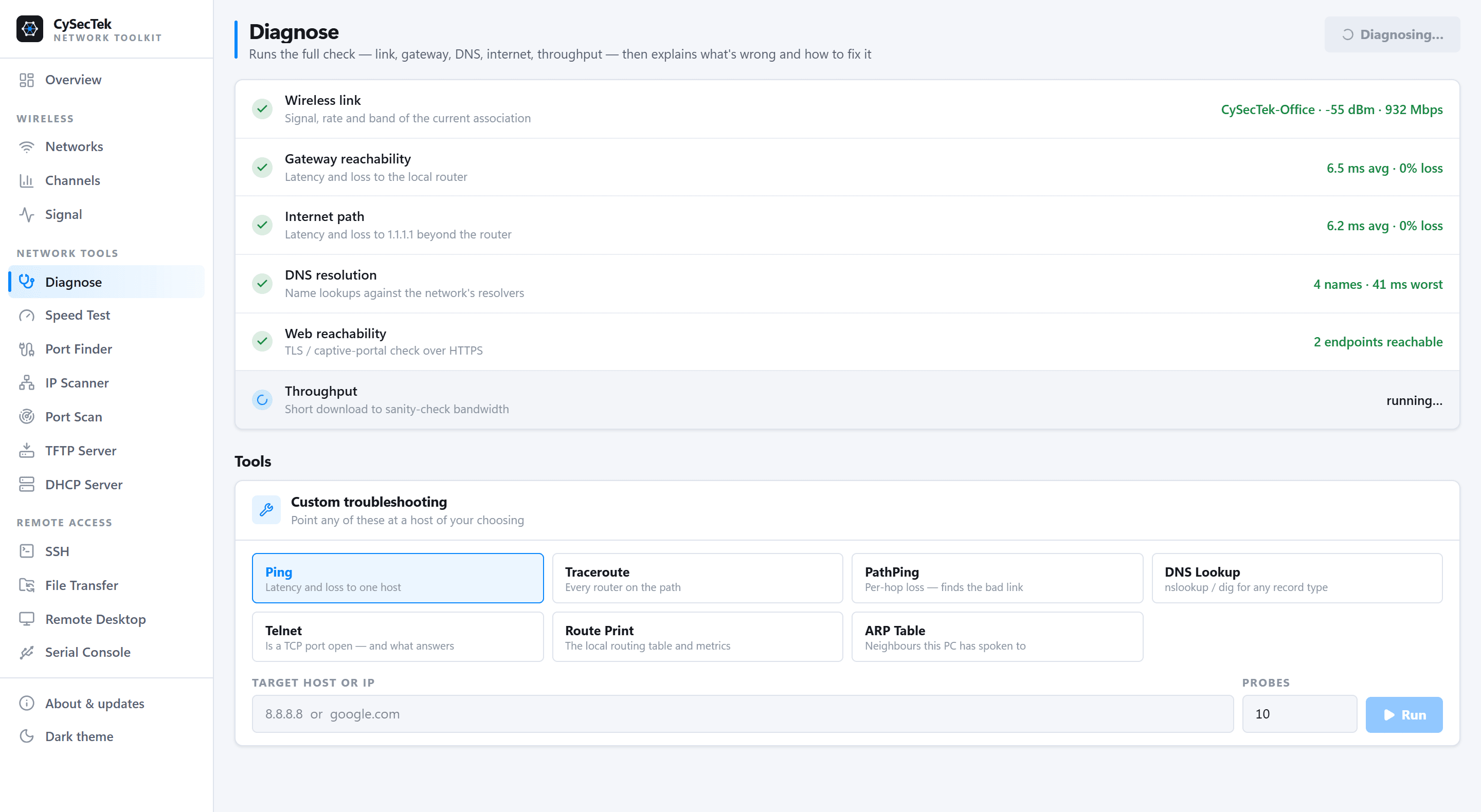
One run pings the gateway, resolves a set of names, times an HTTP request to two well-known endpoints and measures throughput, then reports loss, jitter and round-trip times rather than a green tick. A ping can be kept running with a live chart of round-trip time, so an intermittent drop shows as a shape on screen rather than something you think you saw.
The IP configuration view shows everything ipconfig /all reports — addressing, gateway, DNS, DHCP, MTU, per adapter — with flush, release and renew where you are already looking. Those three change the system's state, so Windows only allows them when the app is run as administrator.
What you walk away with
- Whether the fault is local, at the gateway, in DNS, or beyond
- Loss and jitter figures to put in a ticket
- A continuous ping with every drop on a chart
- DNS flush, DHCP release and renew without a command prompt
Where it stops
Stated here rather than discovered on site.
- The internet checks reach Google's and Microsoft's connectivity endpoints. On a network that blocks them the result says so, which is itself informative, but it is not a general reachability test.
- The speed check is a single-stream download from Cloudflare's speed-test endpoint and will not match a dedicated speed-test service. For a measurement between two points on the customer's own network, use Throughput.