Wi-Fi analysis
Networks, channel occupancy and a live signal trace.
The complaint is that the wireless is bad in this corner of the building.
Needs Wireless adapter
CySecTek
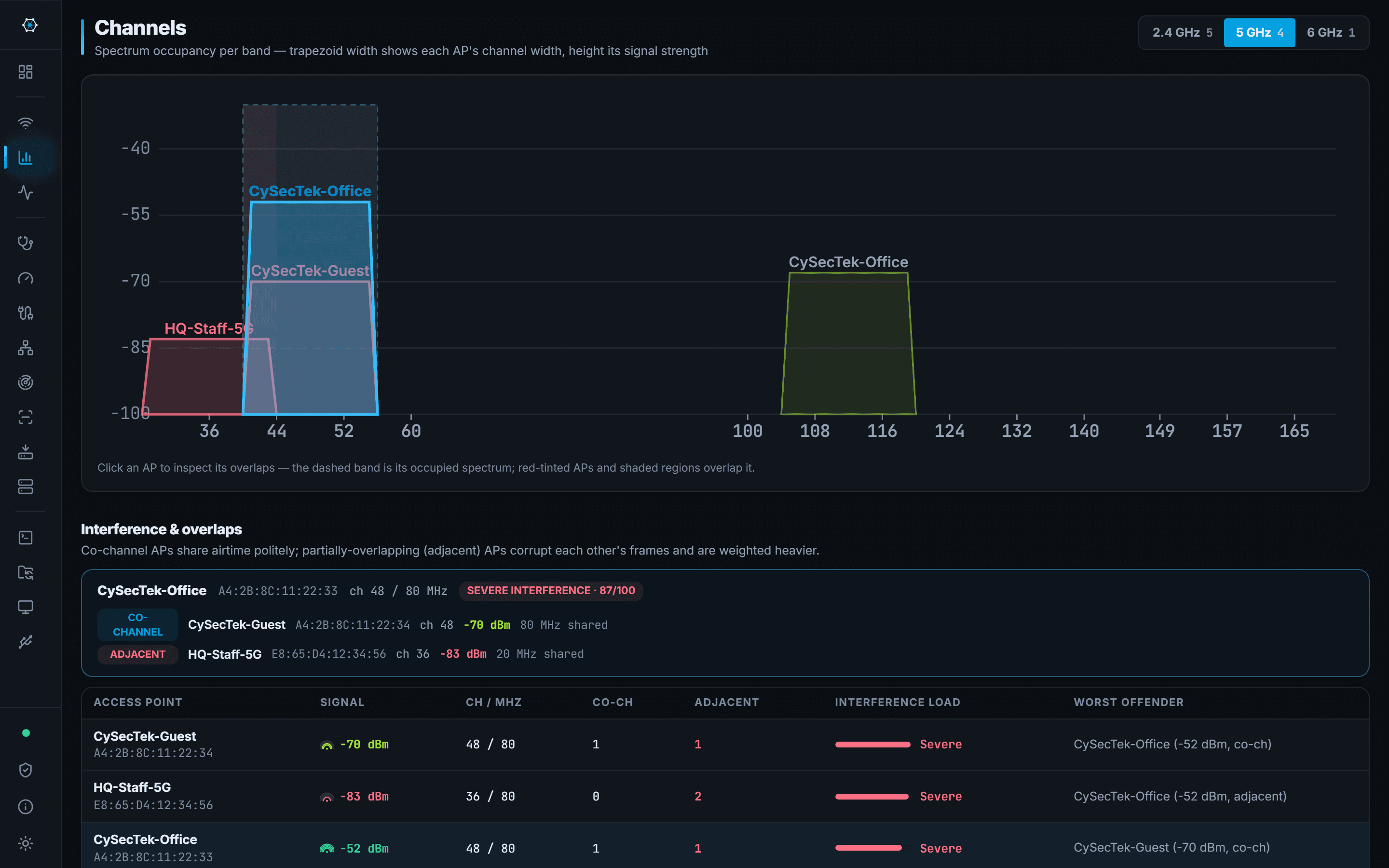
Every BSSID in range with its signal, band, channel, width, security, PHY type and the vendor behind the MAC. Channel views show what is competing with what, on 2.4, 5 and 6 GHz, and the signal view traces the connected AP over time so a walk around a floor produces a graph rather than an impression.
Roaming, disconnects and signal changes are logged as events with timestamps, which is what turns 'it drops sometimes' into something you can point at.
What you walk away with
- Which channels are congested, and by whom
- A signal trace you can walk a floor with
- Timestamped roaming and disconnect events
Where it stops
Stated here rather than discovered on site.
- Windows only reports what the wireless adapter and its driver expose. Some adapters report less than others.
- Windows requires Location Services to be on before it will return scan results — a platform rule, not a choice the app makes. The app says so when it is off.
- This is a survey of what is on the air, not a spectrum analyser: non-Wi-Fi interference is invisible to it.