IP Scanner
Sweep a subnet and get names, MAC vendors and latency back.
You are on a customer network you have never seen and need to know what is on it.
CySecTek
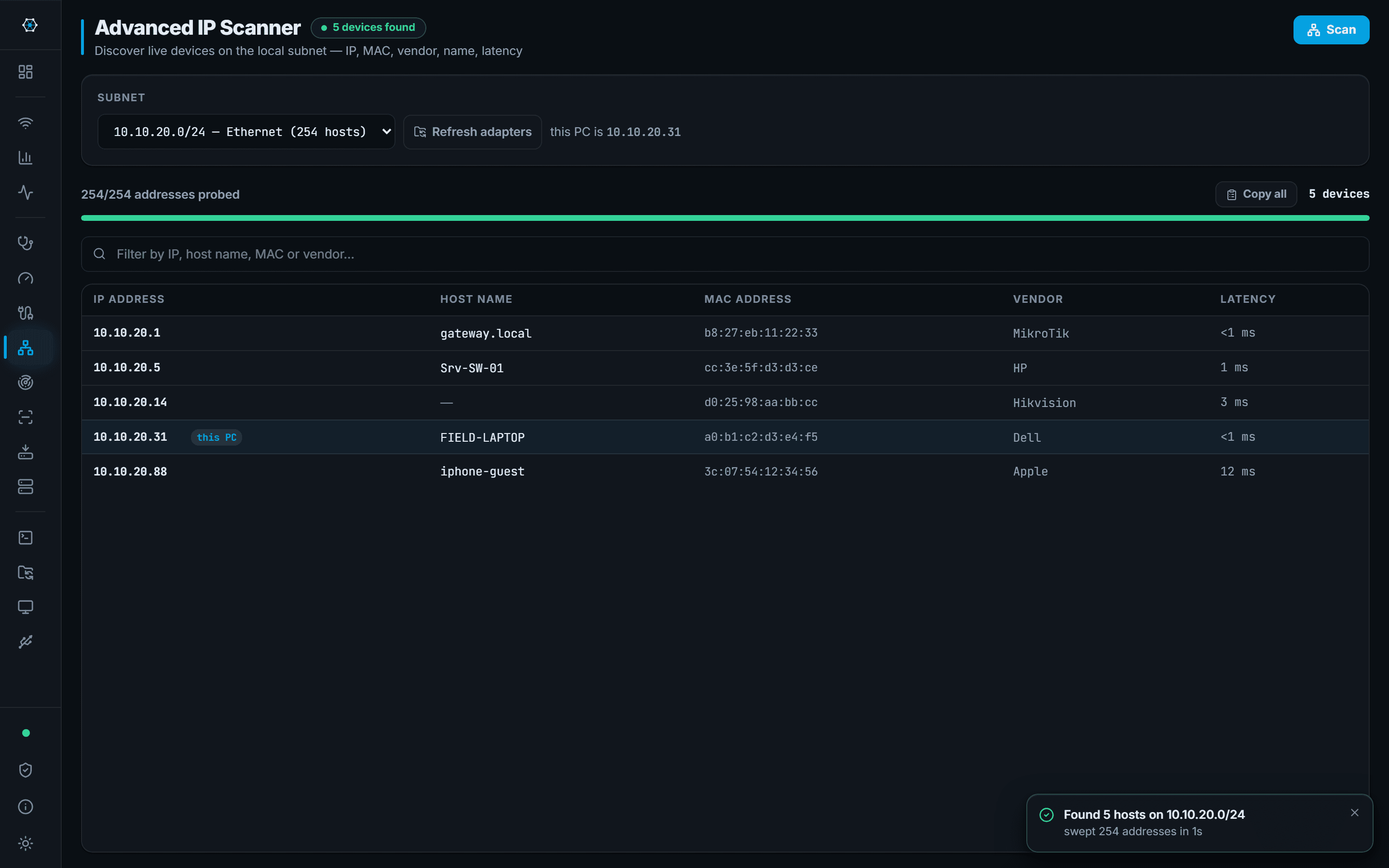
Pick a subnet — the app lists the ones this machine is already on — and sweep it. Hosts come back with their IP, MAC address, the vendor that MAC belongs to, a resolved hostname where there is one, and a round-trip time.
A host you find is a host you can act on: right-click opens SSH, SFTP, RDP, a ping, a traceroute or a port scan against it, without retyping the address into another tool. Every completed sweep is kept per subnet, so on the next visit the app shows what is new, what is no longer seen and which address changed hands since last time.
What you walk away with
- A list of live hosts on the subnet, with vendor and hostname
- Latency per host, so a slow one is visible immediately
- A direct route from a discovered host into SSH, SFTP or RDP
- What changed since the last visit: new, no longer seen, replaced
Where it stops
Stated here rather than discovered on site.
- Discovery is ARP and ICMP based. A host configured not to answer either will not appear.
- MAC vendor comes from the OUI, which identifies the network chip's maker — not always the brand on the front of the box.