Site report
One button surveys the site; the hand-over document fills in as it runs, and every customer's report is kept.
The visit is over and the customer wants something in writing that is not a screenshot pasted into an email.
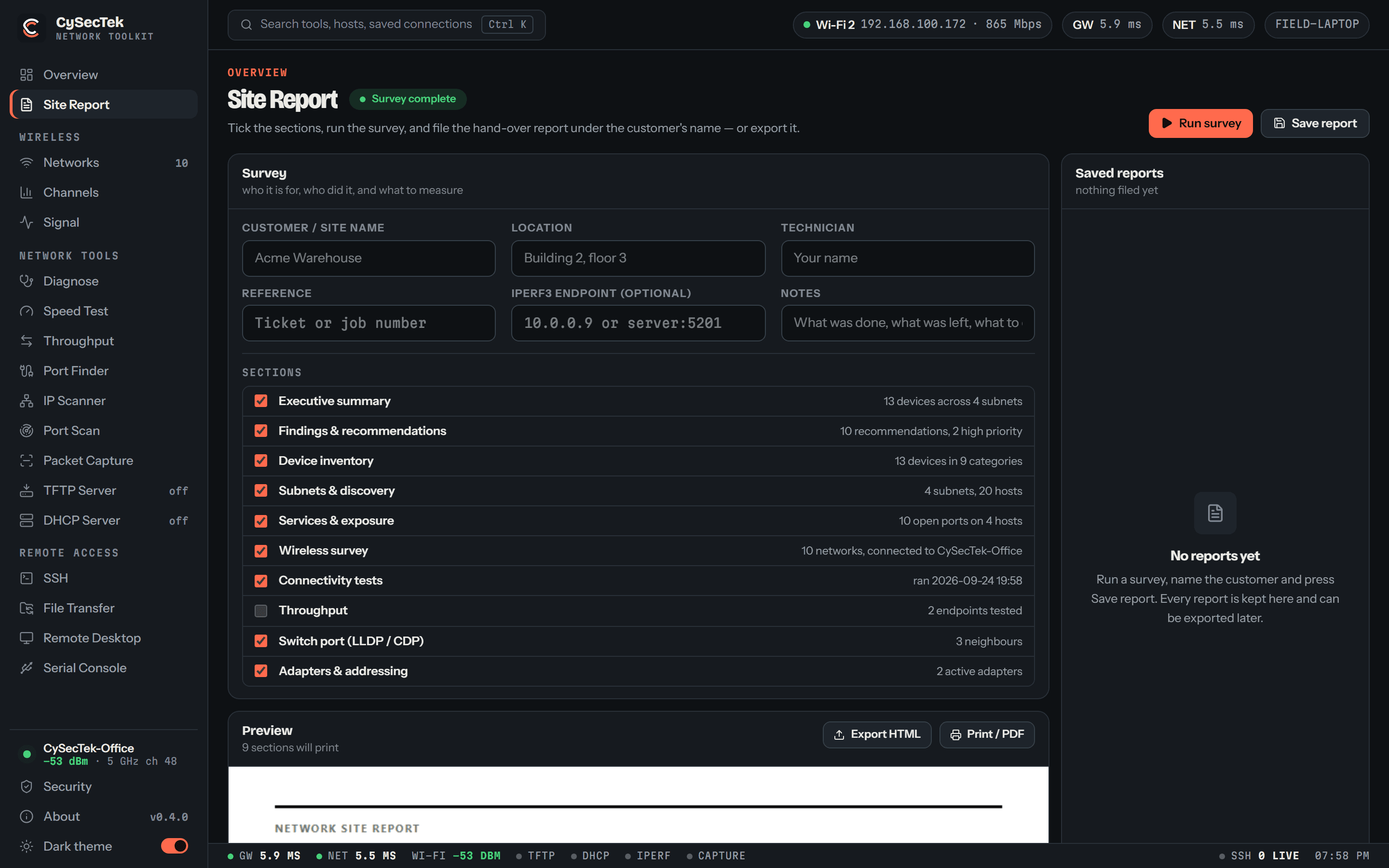
Site Report is a page of its own. Tick the sections you want, press Run survey, and the app runs the tools behind them in order — adapters, the wireless survey, the six connectivity checks with the download speed test, an IP sweep of every subnet this machine is on, a Common-ports scan of every host found, a listen for the switch port, and a throughput test when you give it an iperf3 endpoint — while the report fills in beside the checklist. The document has an executive summary, findings and recommendations with the evidence for each, a device inventory by role — routers and firewalls, switches, access points, printers, cameras, phones, servers, the rest — every subnet swept, the services answering, the wireless survey, the connectivity tests, throughput runs, the switch port you were on, and adapters and addressing. Sections without data are left out rather than printed empty.
It opens with how it was measured: who ran it, when, from which machine and adapter, and each step with its target, how long it took and what it found — skipped and failed steps included, so what was not covered is stated. Every report is kept in the app under the customer's name with the technician's; reopen one from the list, export it as HTML, print it to PDF, or delete it.
Roles are inferred from the maker of the network card, the services answering, the device's name and its position on the network, with a confidence stated for each. Recommendations are rules over evidence the report already prints — Telnet open on a switch, cameras sharing the client VLAN, a link delivering far below what it negotiated, UDP loss past what voice tolerates — so a reader can check every one. It ends with a method-and-limitations section, because a report that reads more certain than the measurements were is worse than none.
What you walk away with
- One click surveys the site: adapters, wireless, checks, sweep, port scan, switch port
- Every customer's reports kept in the app, ready to reopen, export or print
- One self-contained HTML file, styled for print, that opens anywhere
- Devices grouped by role, with the basis and confidence of each classification
- Recommendations that cite their evidence and say what to do
- A section for every tool that has data, and nothing for the ones that do not
Where it stops
Stated here rather than discovered on site.
- It reports what this machine measured from one position at one time. A device that ignored ARP and ICMP is absent from the inventory, not proven absent from the network.
- Roles are inferred, and the report says so with a confidence per device. Low confidence means verify before acting.
- The survey sweeps only this machine's own subnets of /22 or longer, probes the Common port set over TCP, and stops at 256 hosts. Anything wider is a job for IP Scanner and Port Scan by hand.
- HTML only, styled for print; the browser's Save as PDF makes the PDF.