Know whichswitch portyou are on.
CySecTek is a free network toolkit for Windows, built for network engineers and field technicians. It reads the switch’s own LLDP and CDP advertisements to tell you the physical port and VLAN you are plugged into — then scans the subnet, opens the SSH or serial session and moves the files. Fourteen tools, one window.
- Version
- 0.8.0
- Size
- 7.3 MB
- Windows
- 10 / 11 · x64
- Price
- Free
In the box
Fourteen tools, in the order a job runs
Arrive on site, work out what you are plugged into, find what is on the network, decide whether the fault is yours, get onto the kit, move the files, hand over. Each tool has a page that says what it does, what it needs and where it stops.
- 01
Identify the connection
Which physical port, which VLAN, which switch — before anything else.
- 02
Discover what is there
Sweep the subnet, find the hosts, see which ports answer.
- 03
Diagnose the path
Gateway, DNS, internet — and the wireless conditions around you.
- DiagnoseGateway, DNS and internet checked in one pass, with the numbers kept.
- ThroughputPoint-to-point speed over TCP or UDP, speaking iperf3 in both directions.
- Wi-Fi analysisNetworks, channel occupancy and a live signal trace.
- Packet CaptureLive capture on one adapter or all of them, with filters you can change mid-run.
- 04
Get on the equipment
SSH, serial console, or a remote desktop.
- 05
Move the files
Configs off, firmware on, over SFTP.
- 06
Provision hardware
Stand up TFTP and DHCP on an isolated link, then take them down.
- 07
Hand over
Leave the customer a document: what was found, what it is, what to do.
Two need Npcap, Port Finder and Packet Capture. The rest work with what the installer puts on the machine.
On screen
Four of them, as they look on the laptop
Real screenshots of the application, on sample data.
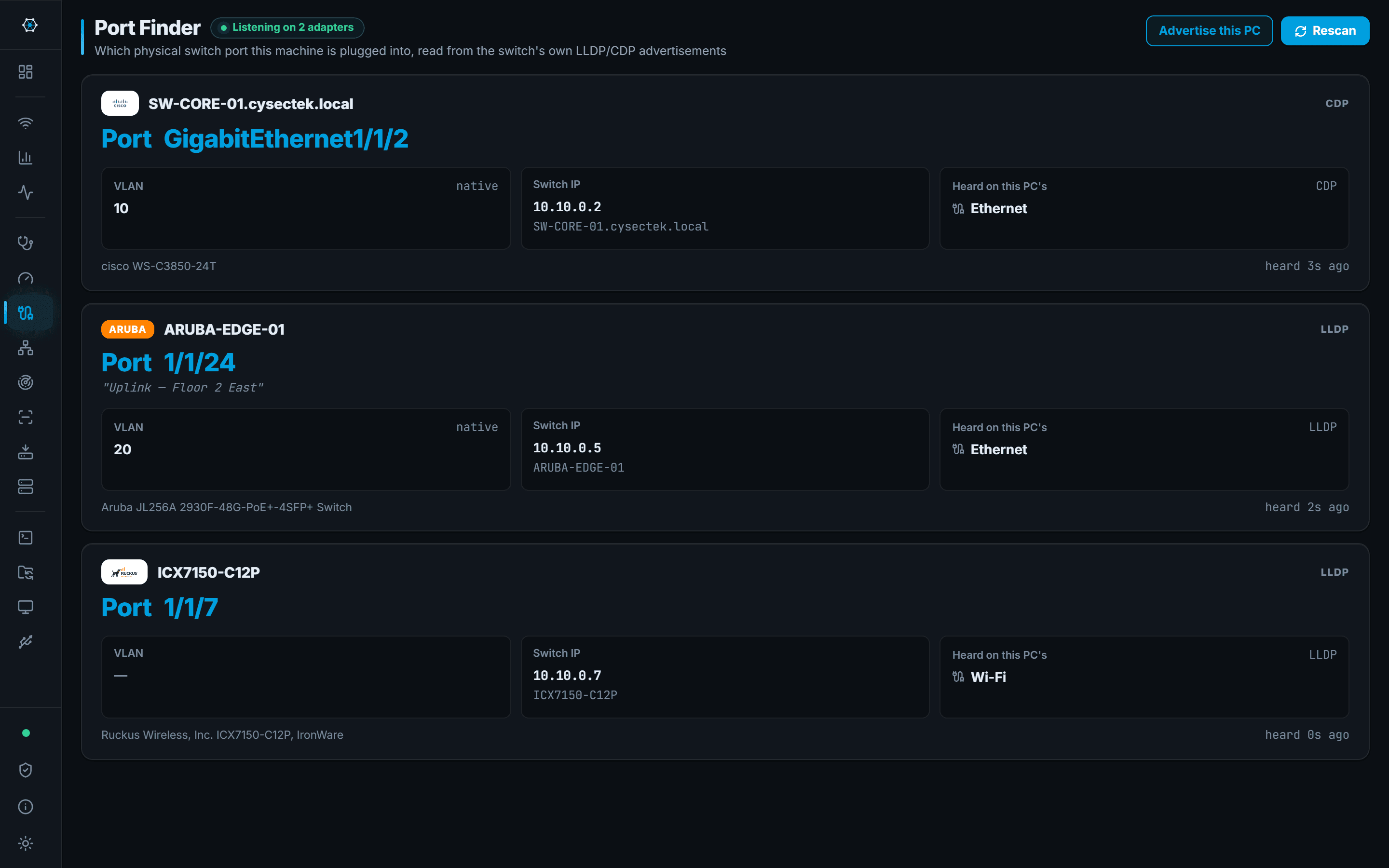
Port Finder
Which switch port this machine is plugged into, read from the switch itself.
You are in a rack room with an unlabelled patch lead and need the port before you can do anything else.
- The switch name and port for the lead you are holding
- Native VLAN and the port description the network team wrote
- The switch's management IP, ready to SSH into
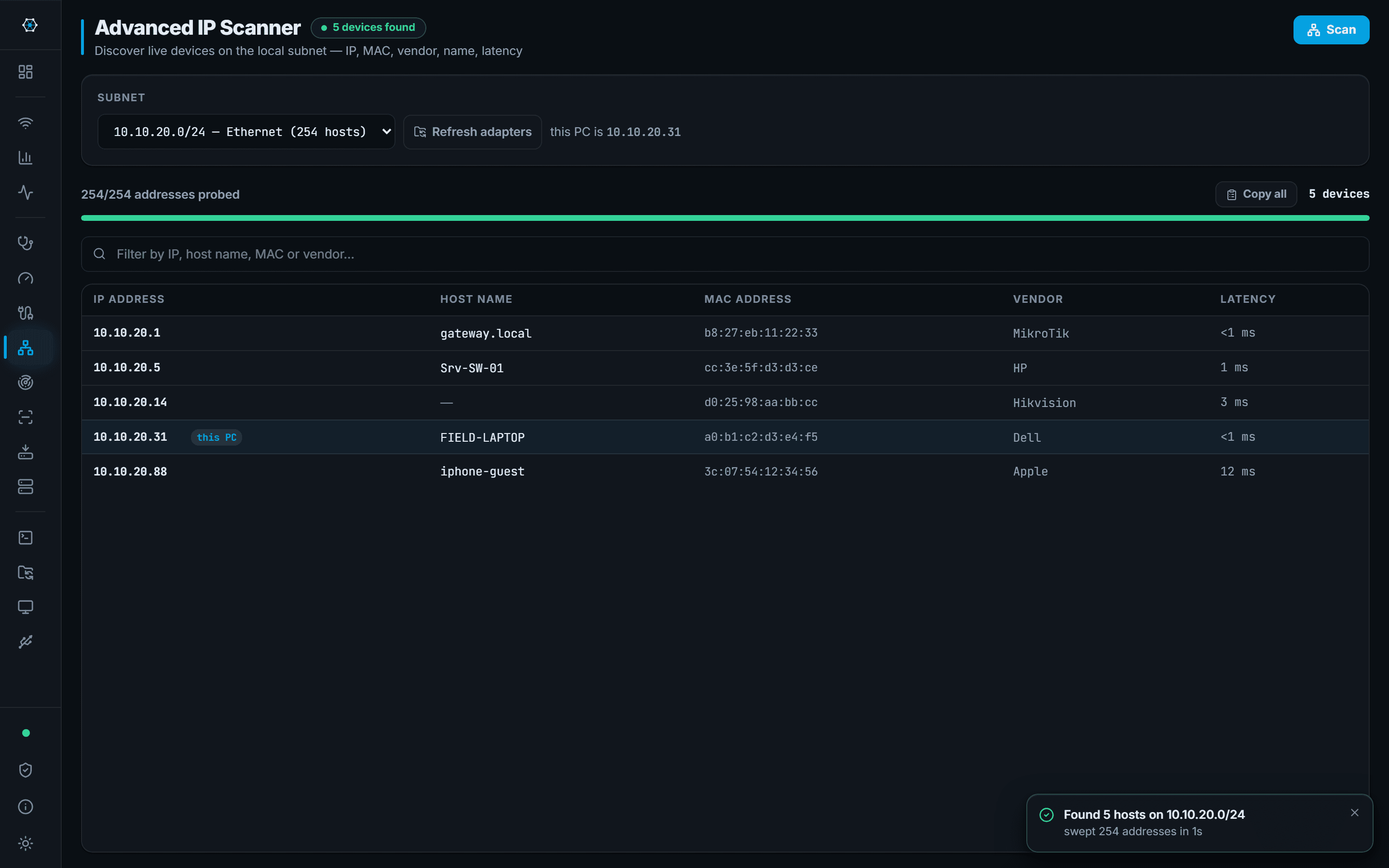
IP Scanner
Sweep a subnet and get names, MAC vendors and latency back.
You are on a customer network you have never seen and need to know what is on it.
- A list of live hosts on the subnet, with vendor and hostname
- Latency per host, so a slow one is visible immediately
- A direct route from a discovered host into SSH, SFTP or RDP
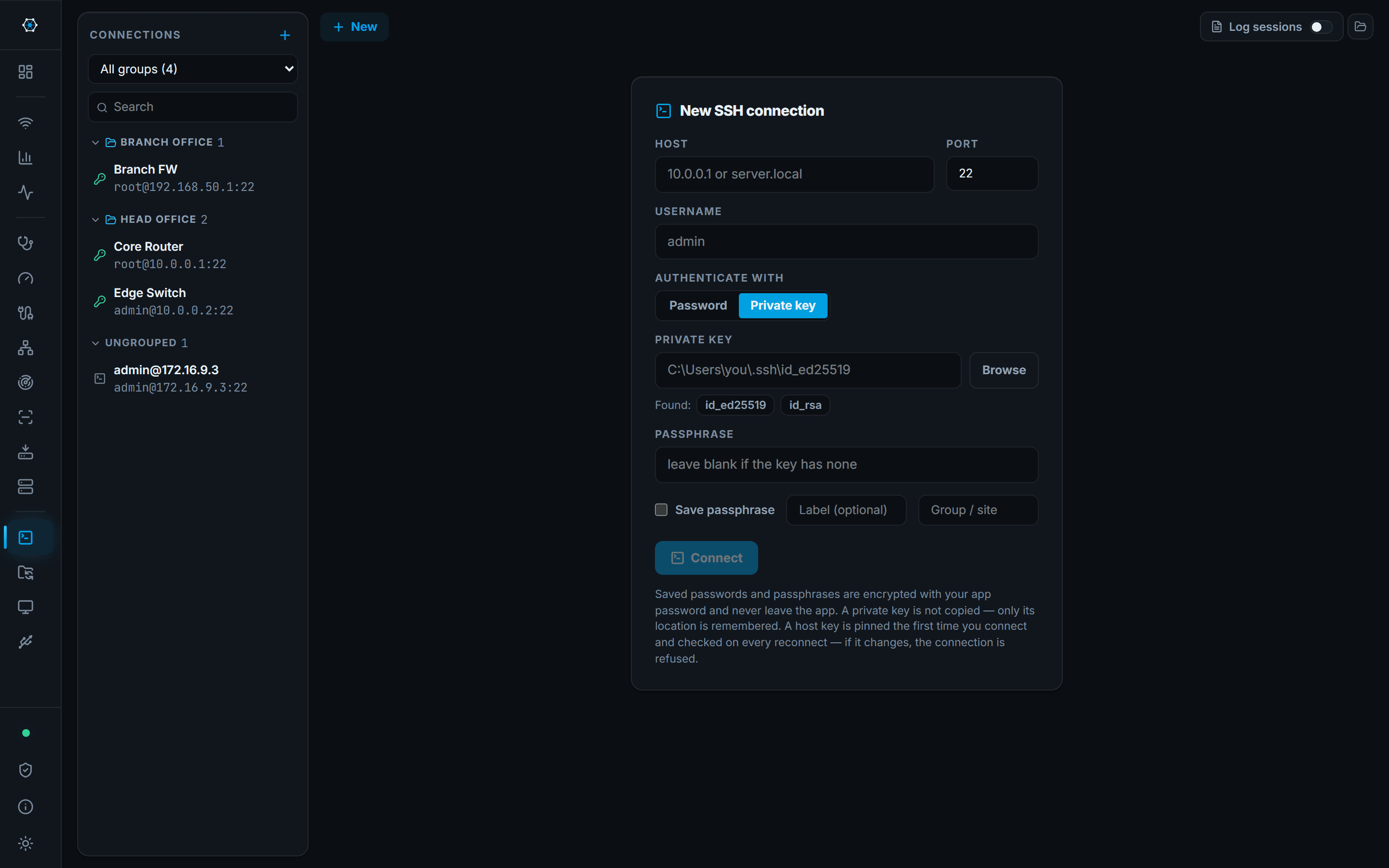
SSH
A tabbed SSH terminal with saved connections and encrypted credentials.
You need a shell on the switch, and then on the next four switches, without five windows.
- Five switches as five tabs in one window
- Password, private key or SSH agent, with credentials saved and encrypted
- A device behind a bastion reached through a saved jump host
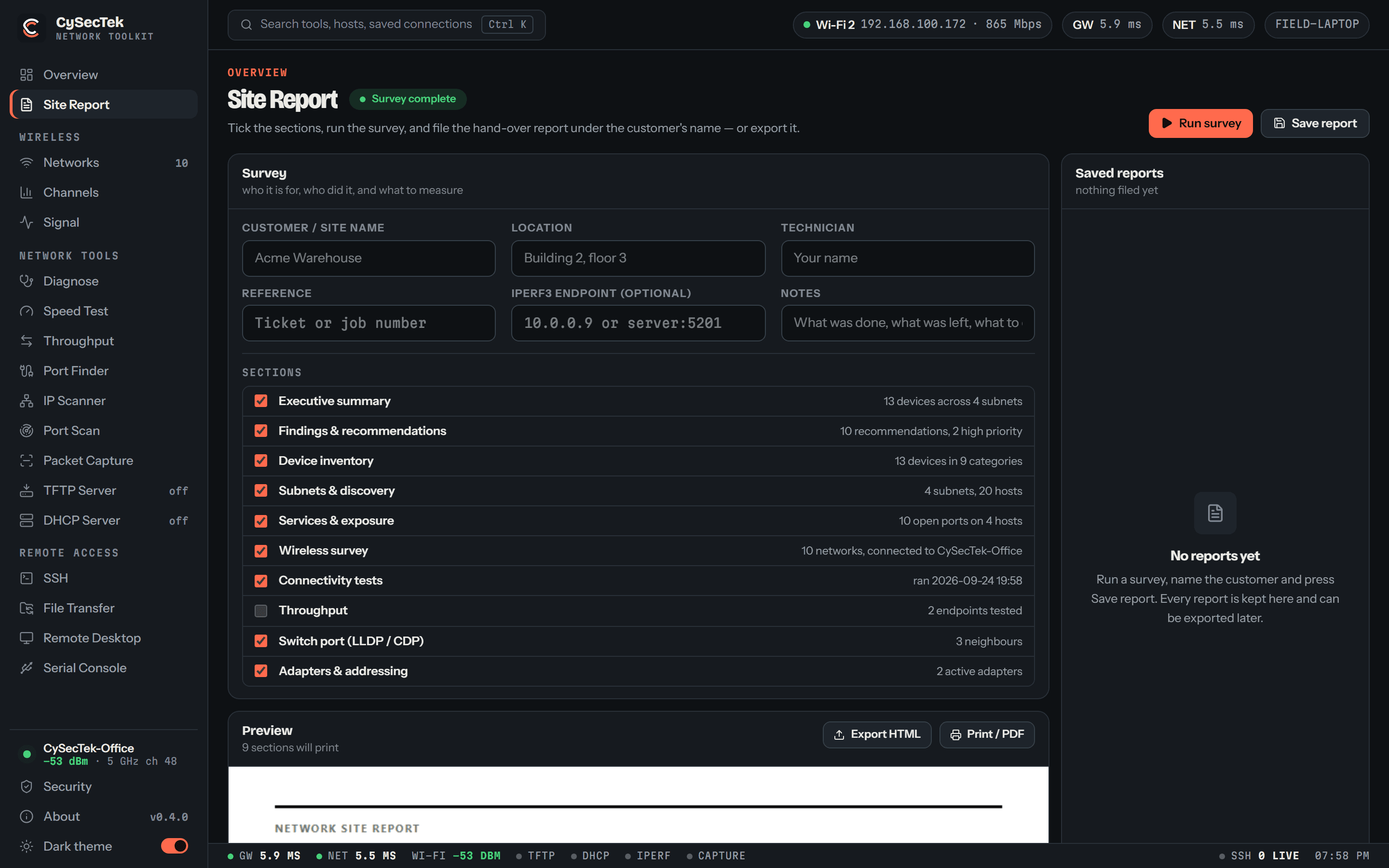
Site report
One button surveys the site; the hand-over document fills in as it runs, and every customer's report is kept.
The visit is over and the customer wants something in writing that is not a screenshot pasted into an email.
- One click surveys the site: adapters, wireless, checks, sweep, port scan, switch port
- Every customer's reports kept in the app, ready to reopen, export or print
- One self-contained HTML file, styled for print, that opens anywhere
Straight answers
What protects you, and where it stops
Every claim on the security page is written to be checked against the software. These are the short versions.
Trust
- Credentials encrypted at rest
- Saved SSH, SFTP and RDP passwords are encrypted under a key derived from your app password with Argon2id. The password itself is never stored, so a copied credential file is useless without it.
- Host keys pinned
- Recorded on first connect. A changed key is refused, with both fingerprints shown when a device really was rebuilt.
- No telemetry
- No analytics, no account, no usage reporting. Scan results, reports and credentials stay on your machine.
- Updates on your terms
- Nothing checks on its own. A download comes over HTTPS from cysectek.com and is SHA-256-checked before the installer runs.
Where it stops
A network toolkit, not a security product
Port scanning and packet capture here are visibility checks for network work. There is no vulnerability scanner, no intrusion detection and no endpoint protection — for security assessment, use the tools built for it.
It is not Wireshark
Capture is one line per packet: no detail tree, no follow-stream, no pcap files. For real trace analysis use Wireshark.
It is not Nmap
No OS fingerprinting, no service-version detection, no scripting engine.
One hop, not a tunnel
A saved connection can be reached through another one as a jump host. There is no general port forwarding or tunnelling.
Windows only, and unsigned
No macOS or Linux build. The installer is not code-signed, so SmartScreen will warn. Compare the SHA-256 of the download with the published value before you run it.
Side-by-side with the tools you already use: honest comparisons.
Get it on the laptop before the next call-out
One 7 MB installer. No account, no licence key, no trial period.
- Version
- 0.8.0 · 2026-09-24
- Operating system
- Windows 10 or Windows 11, 64-bit (x64).
- Extra dependencies
- Npcap, only for Port Finder and Packet Capture.
- Administrator
- Not needed to install or run. Packet Capture may need it, depending on how Npcap was installed.
Before you run it